
b99game App: Download & Install the APK on Android
Get the full b99game experience on your phone. Play Crash, Slots, Live Casino and bet on cricket — all from one lightweight app. No Play Store needed; just download the APK and you are set.
- Version
- 3.9.15
- Size
- 58 MB
- Android
- 6.0+
- Price
- Free
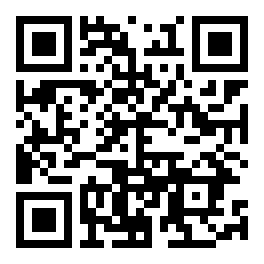
Scan to download
b99game APK
What the b99game App Gives You
Everything on the main site is available in the app — and a few things work better on mobile. Here is what makes the app worth installing.
Instant Crash & Slots Access
Open Crash, Piggy Gold or Mines in under two taps. The app pre-loads your most-played games so you skip the browser login every time. Bet from ৳1 and cash out the moment the multiplier suits you — no lag between decision and action.
Live Cricket & Football Scores
Follow BPL, IPL and ODI matches with real-time score updates built into the betting interface. The app pushes notifications when a wicket falls or odds shift — so you never miss the right moment to place or adjust a bet on b99game.
bKash & Nagad in One Tap
Deposits land in your b99game account within 1 minute using bKash, Nagad, Rocket or Upay. The app remembers your preferred payment method, so you skip the form-filling on repeat deposits. Minimum deposit is just ৳200.
Offline Mode & Background Audio
Weak signal? The app holds your game session for up to 90 seconds during a network drop and reconnects automatically. Live Casino audio and dealer video continue playing when you switch to another app — no need to reload the table.
Bonus Notifications Direct to You
App users receive push alerts for the daily cashback (up to 0.9% returned every 24 hours) and reload bonus (16% on repeat deposits). Alerts arrive before the offer window closes, giving app players a small but real timing advantage over browser users.
24/7 Live Chat Without a New Tab
The in-app chat connects you to a support agent without leaving your game. Withdrawal questions, KYC document uploads and account issues can all be handled through the chat widget — no need to open the browser and log in separately at b99game.
Safety & Permissions: What the APK Requests
The b99game APK is built for Android 6.0 and above and requests only the permissions it genuinely needs. No access to your contacts, messages or microphone.
Internet Access Only
The app connects to b99game servers to load games and process payments. It does not read your SMS, contacts or call logs. The only network traffic goes to b99game's own domains — no third-party data brokers receive your device data.
Secure Payment Handling
All bKash and Nagad transactions are handled inside the respective payment app — b99game never sees your mobile banking PIN. Transactions use TLS encryption end-to-end. No card numbers or banking credentials are stored on your device by the b99game app.
Storage Permission Explained
The app requests storage access only to save your APK update files and KYC document uploads. It does not scan your photo library or any existing files. You can deny storage permission; the app will simply ask you to re-select a document each time you upload one.
Verified File from b99game
Download only from b99game.lat/download/b99game.apk. The file is signed with b99game's developer certificate. Before installing, Android will show the app name as "b99game" — if the name differs, discard the file. Never install APKs forwarded on WhatsApp or Telegram groups.
App vs Browser: Side-by-Side
Both the b99game app and the mobile browser version give you full game access. The table below shows where each one has the edge so you can choose what suits your style.
| Feature | b99game App | Mobile Browser |
|---|---|---|
| Game loading speed | Faster (cached assets) | Standard |
| Push notifications | Yes — bonus & score alerts | No |
| Auto login after close | Stays logged in | Depends on browser |
| Live Casino video quality | Optimised for mobile GPU | Good, varies by browser |
| bKash / Nagad deposit | Deep link to payment app | Yes |
| KYC document upload | Camera or gallery | Gallery only on some browsers |
| Works on Android 6.0+ | Yes | Yes |
| Works on iPhone (iOS) | No native iOS app | Safari — Add to Home Screen |
| File size needed | 58 MB one-time | No install needed |
| Offline session hold | Up to 90 sec reconnect | Page reloads |
How to Install the b99game APK on Android
The whole process takes about three minutes. Follow these five steps in order and you will have b99game running on your phone before the next over.
Allow Unknown Sources
Go to Settings → Security (or Privacy on Android 8+). Enable Install Unknown Apps for your browser or file manager. This one-time setting lets Android accept APK files from outside the Play Store. You can turn it off again after installation if you prefer.
Download the APK
Tap the Download APK button on this page. Your browser will save b99game.apk (58 MB) to your Downloads folder. On a typical bKash mobile data connection this takes around 30–60 seconds. Do not close the browser tab while downloading.
Open the File
Pull down your notification bar and tap the completed download notification. Alternatively, open your phone's Files or Downloads app, navigate to the Download folder and tap b99game.apk. Android will show an installation screen with the app icon and permission summary.
Tap Install
Read the permissions list — you should see only Internet and Storage requested. Tap Install and wait about 10 seconds for Android to verify and install the package. When you see "App installed", tap Open to launch b99game immediately or find it in your app drawer.
Log In or Register
If you already have a b99game account, enter your phone number and password on the login screen. New players tap Register to create an account in under two minutes. Your first deposit of ৳200 or more qualifies for the 225% welcome bonus up to ৳11,000.
Get the b99game APK Now
Direct download — no registration required before installing. Create your account inside the app after installation.
| Detail | Information |
|---|---|
| File Name | b99game.apk |
| Version | 3.9.15 |
| File Size | 58 MB |
| Minimum Android | Android 6.0 (Marshmallow) |
| Last Updated | 10 November 2026 |
| Price | Free |
| Language | English / Bangla |
| Play Store | Not listed — APK only |
Games Available Inside the b99game App
Every game from the b99game Casino catalogue works inside the app — from one-tap Crash bets to full Live Casino tables streamed in HD. Explore the Casino page for the full list.


- Slots — Mines, Coin, Nine, Mahjong Ways 2 and more
- Live Casino — Double Exposure Blackjack, European Roulette Pro
- Sports — Cricket (BPL, IPL, T20, ODI) and Football
- Fishing & Lottery — Gold Toad Fishing, Lucky Bingo
iPhone Users: Add b99game to Home Screen
There is no iOS App Store version. iPhone players use the mobile website via Safari and can pin it to their home screen for an app-like experience.
- 1 Open b99game.lat in Safari on your iPhone. Any page works, but the home page loads fastest.
- 2 Tap the Share icon (the box with an upward arrow) at the bottom of the Safari toolbar.
- 3 Scroll down in the share sheet and tap Add to Home Screen. The name will pre-fill as "b99game".
- 4 Tap Add in the top-right corner. The b99game icon now appears on your iPhone home screen.
- 5 Tap the icon to open b99game in full-screen Safari — no browser bar visible. Log in and play exactly as you would on Android.
Common Installation Problems — Quick Fixes
If the APK does not install cleanly the first time, one of these five issues is usually the cause. Find your problem in the table and follow the fix.
| Problem | Likely Cause | How to Fix It |
|---|---|---|
| "Install blocked" message | Unknown Sources not enabled for the browser or file manager you used to open the APK. | Go to Settings → Apps → your browser → Install Unknown Apps → Allow. Then tap the APK file again. |
| "Parse error" on install | The APK file downloaded incompletely — possibly due to a network drop mid-way through. | Delete the partial file from Downloads, reconnect to Wi-Fi or mobile data, and re-download b99game.apk from this page. |
| App crashes immediately after open | Device is running Android below 6.0, which is below the minimum supported version. | Check your Android version under Settings → About Phone. Android 6.0 or above is required. Use the mobile website if your device is older. |
| "Not enough storage" error | Less than 150 MB free on the device — the APK needs space to unpack during installation. | Free up space by deleting unused apps or moving photos to cloud storage, then retry the install. The installed app occupies about 90 MB total. |
| Blank white screen after login | App version mismatch — an older APK cached on the device conflicts with updated server scripts. | Uninstall the old version first, then download the latest b99game.apk (v3.9.15) from this page and install fresh. Your account data is stored server-side and will not be lost. |
Questions About the b99game App
These are the questions we hear most often from new players downloading the b99game App for the first time.
Is the b99game APK safe to install?
Yes, as long as you download it from b99game.lat/download/b99game.apk — the only official source. The file is signed with b99game's developer certificate, and Android will display the correct app name during installation. It requests only Internet and Storage permissions. Never install a b99game APK file received through WhatsApp, Telegram or any third-party site, as those may be modified versions.
Does the b99game App work on iPhone?
There is no native iOS app. Apple does not allow APK sideloading, and b99game is not listed on the App Store. iPhone users should open b99game.lat in Safari, then tap Share and choose Add to Home Screen. This pins a shortcut that opens the site in full-screen Safari — no browser bar visible — giving a close-to-app experience. All games, deposits and withdrawals work exactly the same way.
How do I update the b99game App when a new version is released?
The app displays a banner inside the home screen when an update is available. Tap Update Now and you will be taken to this download page. Download the new APK, open it, and Android will upgrade the existing installation without deleting your preferences or account session. If you miss the in-app prompt, return to this page and check the version number in the info table above — the current release is v3.9.15, updated 10 November 2026.
Will installing the b99game App use a lot of mobile data?
The APK download itself is 58 MB — roughly the same as a short video clip. After installation, game assets are cached locally, so repeated play uses less data than the first session. Live Casino streams consume the most data: around 200–350 MB per hour depending on video quality. Crash and Slots games use far less, typically under 30 MB per hour. We recommend downloading the APK on Wi-Fi if your mobile data plan is limited.
Can I use bKash and Nagad to deposit inside the app?
Yes. Tap Deposit in the app, choose bKash, Nagad, Rocket, Upay or Bank Transfer, and enter your amount — minimum ৳200. The app sends a deep link that opens your payment app directly. Confirm the payment there and your b99game balance updates within 1 minute. No manual transaction ID entry is needed; the app handles the reference automatically. If your first deposit is ৳200 or more, the 225% welcome bonus up to ৳11,000 is added instantly.
What happens to my account if I uninstall the app?
Your b99game account, balance, bonus progress and VIP points are stored on b99game's servers — not on your device. Uninstalling the app does not delete anything. Simply reinstall the latest APK from this page, log in with your phone number and password, and everything will be exactly as you left it. If you have forgotten your password, use the Login page to reset it before reinstalling.
Do I need to complete KYC before using the app?
You can register, deposit and play without KYC. However, KYC verification is required before your first withdrawal. Inside the app, go to Account → Verify Identity and upload a photo of your National ID Card (NID), Passport or Driving Licence. The b99game team reviews documents within 2 hours. Once verified, withdrawals of ৳1,000 or more are processed in about 25 minutes. You can also read the full Withdrawal & KYC Guide for step-by-step instructions.
18+ · Play Responsibly. The b99game App is for adult players only. Gambling carries financial risk — only play with money you can afford to lose. If you feel your gambling is becoming a problem, use the self-exclusion tools available in Account Settings or visit our Responsible Gaming page. Help is available 24/7 via Live Chat.